Internal Linking Audit: Why B2B Service Pages Don’t Rank or Generate Leads

Many B2B companies publish blog articles, case studies, service pages, and technical content, but their most important commercial pages still do not rank well or generate enough leads.
At first, this may look like a keyword, content, or backlink problem. But in many audits, the issue is much simpler: weak internal linking.
If blog posts receive traffic but do not link to relevant service pages, if case studies are disconnected from commercial offers, or if important pages are buried deep inside the website, Google and users may not clearly understand which pages matter most.
This internal linking audit breakdown explains how poor internal linking prevents B2B service pages from ranking and how to fix the structure so content supports lead generation.
Why Internal Linking Matters for B2B Websites
Internal links are links between pages on the same website. They help users move from one piece of content to another, but they also help search engines understand page relationships and importance.
For B2B websites, internal linking is especially important because the buying journey is rarely simple.
A visitor may first land on:
- a technical blog article;
- a conversion problem article;
- a case study;
- a service page;
- a comparison article;
- a website audit checklist;
- a paid traffic landing page.
From there, the website should guide the visitor toward a relevant commercial next step.
If that path is missing, the visitor may read the content and leave without ever reaching the page that explains your service or invites them to contact you.
The Common Problem: Blog Traffic Does Not Support Service Pages
Many businesses invest in content marketing but keep blog content disconnected from service pages.
A common situation looks like this:
- blog articles receive impressions and occasional clicks;
- service pages receive little organic visibility;
- commercial pages have few internal links;
- case studies are not connected to relevant services;
- CTA sections are generic;
- users read articles but do not move toward inquiry.
This creates a content system that attracts visitors but does not support sales.
The website may have useful content, but Google does not receive enough signals that the service pages are important. Visitors also do not receive enough guidance to continue the journey.
How Weak Internal Linking Hurts SEO
Search engines use internal links to discover pages, understand relationships, and evaluate importance.
If a service page has few internal links, several problems can appear:
- Google may crawl it less frequently;
- the page receives less internal authority;
- related content does not strengthen the page topic;
- the page may not rank for competitive commercial terms;
- Google may not understand the connection between informational and commercial content;
- other weaker pages may compete with the service page.
For example, a website may have five articles about WordPress performance, but if none of them link to a WordPress performance audit or website optimization service page, that commercial page receives little support.
This is a missed SEO opportunity.
How Weak Internal Linking Hurts Lead Generation
Internal linking is not only an SEO issue. It is also a conversion issue.
A visitor who reads an article about website migration may be interested in migration support. But if the article does not link to a migration service, technical audit, redesign consultation, or contact page, the visitor has no clear next step.
Weak internal linking causes lead loss because:
- users do not find relevant services;
- commercial pages are not visible during the research journey;
- case studies do not support buying decisions;
- CTA buttons are disconnected from page intent;
- traffic stays informational instead of moving toward inquiry.
A strong internal linking system turns content into a sales-support asset.
Internal Linking Audit Step 1: Identify Priority Service Pages
Before adding links, define which pages should receive more support.
For a B2B website, priority pages usually include:
- website redesign service page;
- technical SEO audit page;
- WordPress performance audit page;
- OpenCart SEO cleanup page;
- ecommerce development page;
- website migration page;
- conversion audit page;
- landing page optimization page;
- contact or discovery call page.
These are the pages that should generate inquiries, consultations, audit requests, and project discussions.
If the website does not have dedicated pages for these services yet, the audit may reveal a content gap. In that case, internal linking alone is not enough — the commercial destination must be created first.
Internal Linking Audit Step 2: Find Pages That Already Have Traffic
The next step is to identify pages that already receive impressions, clicks, or referral traffic.
Useful sources include:
- Google Search Console;
- Google Analytics;
- paid campaign landing page data;
- blog performance reports;
- server logs if needed;
- CRM lead source data.
Pages with existing traffic are valuable because they can send visitors to commercial pages immediately.
For example, if an article about “website traffic but no leads” receives search impressions, it should link to a conversion audit or website audit offer.
If an OpenCart technical article receives traffic, it should link to OpenCart SEO cleanup, ecommerce development, or technical audit pages.
Internal Linking Audit Step 3: Map Content to Commercial Intent
Each content page should have a logical commercial destination.
The link should not be random. It should match the problem discussed on the page.
Examples:
- Article about index bloat → Technical SEO audit or SEO cleanup plan.
- Article about WordPress speed → WordPress performance audit.
- Article about website migration → SEO-safe migration plan.
- Article about ecommerce categories → Ecommerce SEO audit.
- Article about Merchant Center preparation → Ecommerce tracking and feed setup.
- Article about conversion blockers → Conversion audit.
- Article about redesign risks → Pre-redesign technical audit.
This creates a natural path from problem awareness to solution evaluation.
If every article only links to other articles, the website may educate visitors without turning them into leads.
Internal Linking Audit Step 4: Review Anchor Text
Anchor text is the clickable text of a link. It helps users and search engines understand what the linked page is about.
Weak anchor text examples include:
- click here;
- read more;
- learn more;
- this page;
- our service.
Better anchor text is specific and descriptive.
Examples:
- technical website audit;
- SEO-safe website migration plan;
- OpenCart duplicate URL cleanup;
- WordPress performance audit;
- B2B conversion audit;
- pre-redesign technical audit.
The goal is not to over-optimize every link. The goal is to make links useful and clear.
Natural variation is important. Repeating the same exact anchor everywhere can look forced and reduce readability.
Internal Linking Audit Step 5: Check Link Placement
Where the link appears matters.
A link buried in a footer or hidden at the end of a long article may receive less attention than a contextual link inside a relevant section.
Strong link placements include:
- inside a section discussing the exact problem;
- after a practical example;
- inside a checklist;
- before a CTA block;
- in a “related resources” section;
- inside case study summaries;
- from homepage sections to priority service pages.
The best internal links feel useful to the reader. They should help the visitor continue learning or take a relevant next step.
Internal Linking Audit Step 6: Connect Case Studies to Services
Case studies are often underused in internal linking.
A case study should not be isolated. It should connect to:
- the service used in the project;
- related technical articles;
- industry landing pages;
- audit offers;
- contact or consultation pages.
For example, a case study about fixing website performance should link to WordPress performance audit or technical optimization services.
A case study about cleaning duplicate ecommerce URLs should link to OpenCart SEO cleanup or ecommerce SEO audit.
This helps potential clients see a clear connection between proof and service.
Internal Linking Audit Step 7: Avoid Orphan Commercial Pages
An orphan page is a page that exists but has no meaningful internal links pointing to it.
This is a serious issue when the orphan page is a service page, landing page, audit offer, or case study.
Orphan commercial pages may:
- receive little crawl attention;
- rank poorly;
- stay invisible to users;
- fail to support conversion paths;
- not benefit from related content.
If a page is important to the business, it should be linked from relevant sections of the website.
Priority service pages should usually receive links from the homepage, navigation, related blog posts, case studies, and other relevant service pages.
Internal Linking Audit Step 8: Build Topic Clusters Around Services
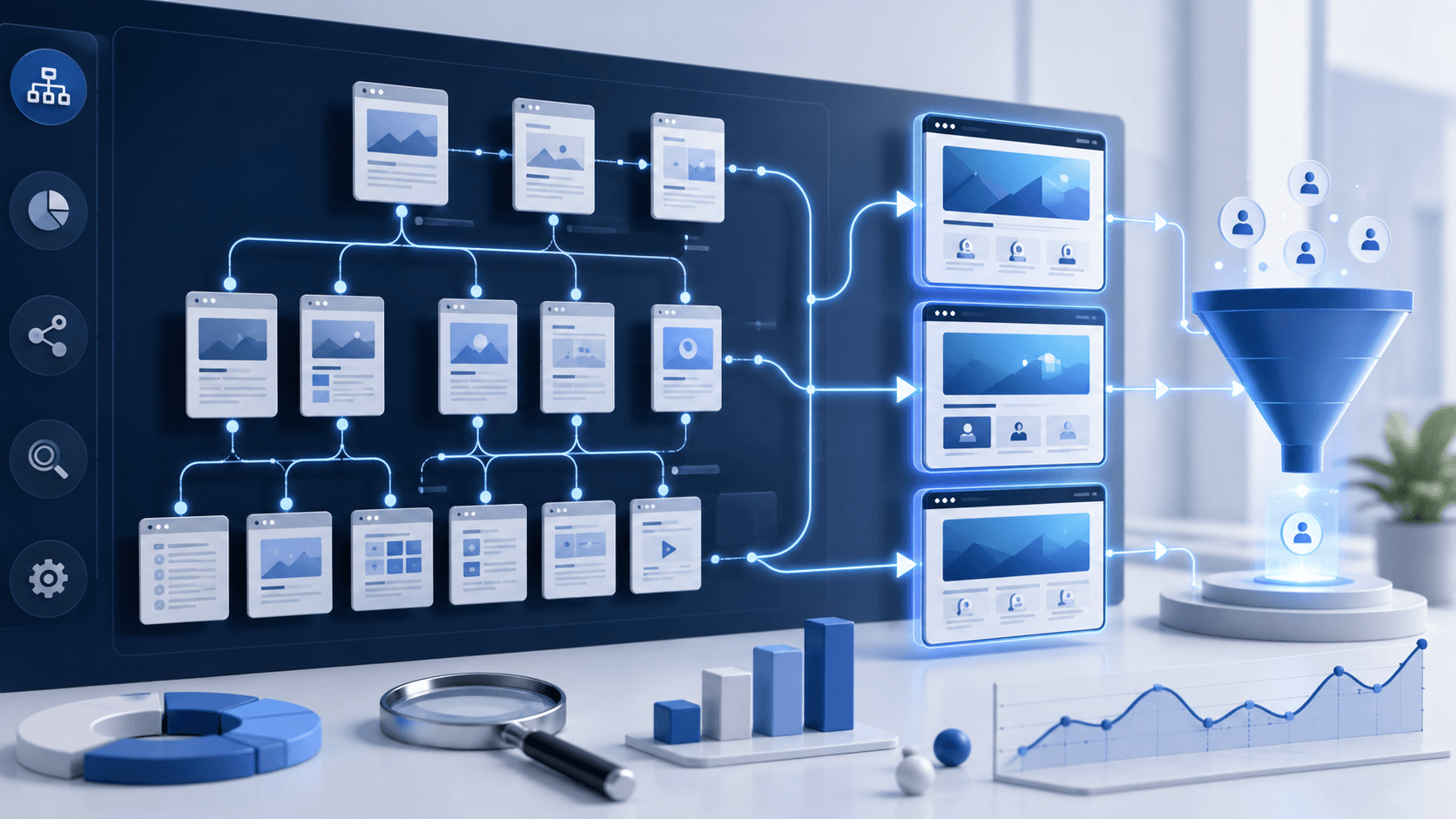
A strong internal linking structure often follows a cluster model.
This means related articles support a central commercial or pillar page.
Example technical SEO cluster:
- cleaning junk URLs;
- index bloat;
- duplicate OpenCart URLs;
- website migration;
- multilingual SEO;
- website architecture audit;
- internal linking audit.
All of these can support a central technical SEO audit or SEO cleanup service page.
Example conversion cluster:
- traffic but no leads;
- conversion audit;
- slow WordPress pages;
- weak service pages;
- poor CTA strategy;
- lead drop-off points.
These can support a conversion audit or website redesign service page.
This makes the website more organized for both search engines and users.
Internal Linking Audit Step 9: Review Navigation and Footer Links
Contextual links are important, but navigation and footer links also matter.
Main navigation should help users quickly understand your main service areas.
Footer links can support important pages, but they should not become a dumping ground for every URL.
Review whether navigation and footer links include:
- main services;
- technical audit pages;
- case studies;
- contact page;
- industry pages if relevant;
- resources or blog sections;
- important commercial pages.
If a business-critical page is not linked from anywhere prominent, it may not be treated as important by users or search engines.
Internal Linking Audit Step 10: Monitor Results After Changes
Internal linking improvements should be monitored over time.
After changes, track:
- organic impressions for service pages;
- clicks to commercial pages;
- user paths from blog posts to services;
- form submissions from internally linked pages;
- ranking changes for priority pages;
- crawl frequency of important pages;
- engagement with CTA sections.
Internal linking is not a one-time task. It should be reviewed regularly as new content is published.
Every new article should support at least one relevant commercial destination.
Common Internal Linking Mistakes
- publishing blog posts with no links to service pages;
- using generic anchor text;
- linking only between blog articles;
- leaving service pages orphaned;
- not linking case studies to services;
- overloading pages with irrelevant links;
- using the same anchor text unnaturally everywhere;
- hiding important pages deep in the website;
- forgetting to update old articles after creating new services;
- not tracking whether internal links generate leads.
These mistakes are common, but they are also fixable.
Real-World Scenario
We often see B2B websites where blog articles attract visitors but service pages remain weak.
The company keeps publishing new content, expecting organic growth to eventually turn into leads. But the content does not support commercial pages, and visitors are not guided toward relevant services.
After auditing internal links, mapping articles to service pages, improving anchor text, and adding topic clusters, the website becomes more focused.
The same content starts doing more work: supporting SEO, guiding users, and creating clearer conversion paths.
Internal Linking Audit Checklist
- Priority service pages are clearly identified.
- Traffic-generating pages are reviewed.
- Each blog article has a relevant commercial destination.
- Anchor text is descriptive and natural.
- Service pages receive links from related content.
- Case studies link to relevant services.
- No important commercial pages are orphaned.
- Topic clusters support service pages.
- Navigation includes priority commercial pages.
- Footer links are useful and not overloaded.
- Old content is updated with links to new service pages.
- Lead generation impact is monitored after changes.
FAQ
Can internal linking help service pages rank?
Yes. Internal linking helps search engines understand which pages are important and how related content supports commercial pages.
How many internal links should a blog post include?
There is no fixed number. The links should be useful and relevant. For many B2B articles, linking to one or two commercial pages and several related resources can work well.
Should every blog post link to a service page?
If the blog post has business relevance, yes. It should usually link to a relevant service, audit offer, case study, or commercial next step.
Can poor internal linking reduce leads?
Yes. If users read content but are not guided toward relevant services or CTAs, the website may lose potential leads even when traffic exists.
Conclusion
Internal linking is one of the simplest ways to make existing B2B content work harder.
When blog posts, case studies, service pages, and audit offers are connected properly, the website becomes easier for Google to understand and easier for visitors to use.
If your service pages do not rank or generate enough leads, our team can audit your internal linking structure and show how to connect content to commercial outcomes.
You may also want to read our articles about website architecture audits, conversion audits, and pre-redesign technical audits for B2B websites.